
Coding robots are one of the best ways to teach programming, because the result isn’t a picture on a screen. It’s a machine rolling across your floor. When the code is wrong, the robot visibly goes the wrong way, and kids learn to debug: the most important programming skill of all.
But “coding robot” covers a huge range, from $30 button-pushers to $200 sensor-packed rovers. Here’s how they differ.
The three kinds of coding robot
| Type | How kids program it | Best ages | Screen needed? |
|---|---|---|---|
| Button-coded | Press arrow buttons on the robot to store a sequence | 4–7 | No |
| Card or color-coded | Arrange cards or color tiles the robot reads | 4–8 | No |
| App-coded | Drag-and-drop blocks on a tablet, then text code (Python, JavaScript) | 6–18+ | Yes |
Ages 4–7: screen-free sequencing
At this age, the goal is to understand that a sequence of instructions produces an outcome. Button-coded robots like the Code & Go Robot Mouse and Botley let kids plan a route, enter it step by step, then press go. When the mouse misses the cheese, they count the squares and try again. That’s debugging.
Color-tile robots like Sphero indi take this further: kids lay out colored tiles that tell the robot to turn, speed up or celebrate, so they build programs with physical objects.
Our tip: choose a robot that comes with challenge cards. They give structure and a sense of progress.
Ages 6–10: blocks on a tablet
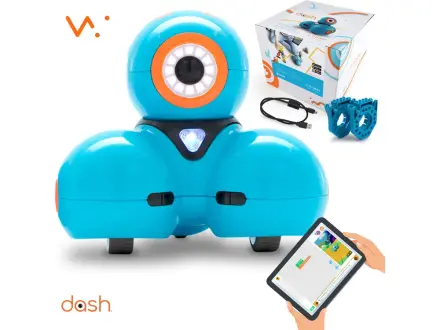
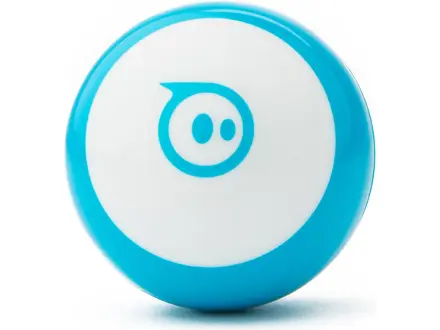
Once kids are reading, app-based robots unlock much more: loops, conditions (“if the sensor sees an obstacle, turn”), variables and sound. Robots like Wonder Workshop Dash and Sphero Mini use block-based coding apps that look a lot like Scratch, the language many schools teach.
Check before buying: which tablets or phones the app supports. Every Electroys product page lists device requirements.
Ages 8 and up: sensors and real languages
The step up is robots with multiple sensors and a path to text-based code:
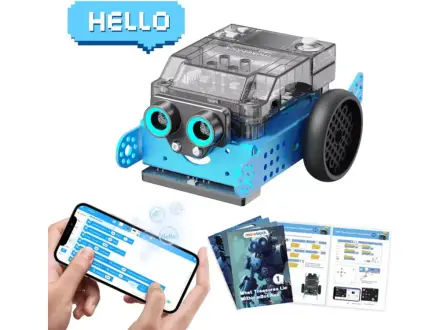
- Makeblock mBot2 is a sturdy aluminum robot with ultrasonic, color and motion sensors. It codes in blocks first and then Python, and it’s widely used in schools.
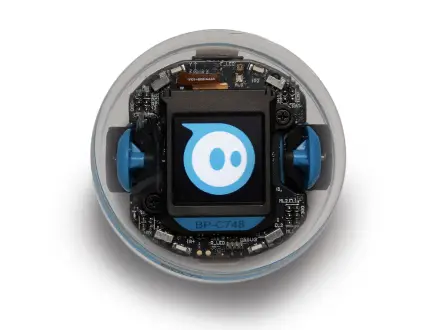
- Sphero BOLT+ has an LED matrix, sensors and programming in blocks or JavaScript, and is tough enough for classroom use.
Teens: build the robot, then program it
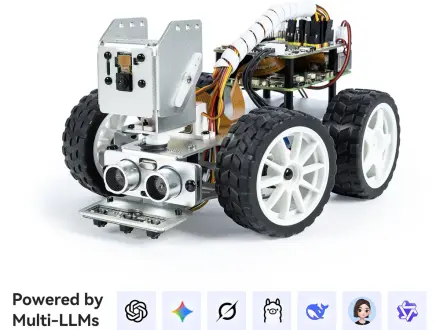
For teens, half the learning is in the build. Kits like the SunFounder PiCar-X pair a robot chassis with a Raspberry Pi, so teens assemble the hardware, then write Python to add camera vision, line following and obstacle avoidance. It’s the same stack hobbyists and university robotics clubs use.
Quick buying checklist
- Screen-free or app? Decide how you feel about screen time first; it narrows the field fast.
- Batteries or rechargeable? Rechargeable robots save money and frustration.
- Durability: if younger siblings are around, favor sealed, drop-tolerant designs.
- Growth path: a robot that supports both blocks and text code will last years longer.
See every pick in Robotics and Coding, or let the Kit Finder choose.