

Learning Resources Switcheroo Coding Crew
One robot, three rescue vehicles, lots of code-to-the-rescue missions
Typical price $50 – $100 View on Amazon
Build a maze, plan the route, and code a mouse to the cheese.
Best for kids who want to code a robot without a screen.
This is Learning Resources’s own list price (checked October 28, 2026). Amazon’s price is often lower; tap above for today’s price. Paid link: Electroys may earn a commission at no extra cost to you. Listing verified October 28, 2026. See Learning Resources’s product page.
Kids snap together a grid maze with walls and tunnels, lay out coding cards to plan a path, then press arrow buttons on Colby the robot mouse to send him to the cheese. It turns the core idea of programming, a sequence of steps, into a tabletop puzzle with no screen involved.
Always follow the manufacturer’s age and safety guidance. Small parts may be a choking hazard for children under 3.
One robot, three rescue vehicles, lots of code-to-the-rescue missions
A screen-free coding robot with room to grow into longer programs
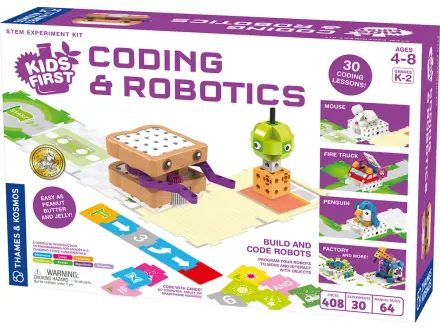
Build Sammy the robot, then program him with code cards
The classic build-and-code robot for first-time roboticists