
Electronics can feel like magic to kids, and that’s exactly why it’s such a good thing to learn. Once a child understands that a switch completes a loop, the world starts to make more sense: doorbells, flashlights, game controllers, cars.
The trick is introducing it in the right order. Here’s the path we recommend.
Step 1: Snap-together circuits (ages 5–8)
Goal: understand that electricity needs a complete loop, and that parts like switches, lights and motors go in that loop.
Snap Circuits kits use color-coded pieces that snap onto a plastic grid. There are no loose wires, no soldering and no breadboards. Every project in the manual is a real circuit diagram, so kids learn to read schematics without realizing it.
- Start with Snap Circuits Beginner for ages 5–7 or Snap Circuits Jr. for 8+.
- ThinkFun Circuit Maze is a great companion: a logic puzzle where the reward is a working circuit.
Step 2: Bigger circuits and real concepts (ages 8–12)
Goal: series vs. parallel, resistance, sensors and simple logic.
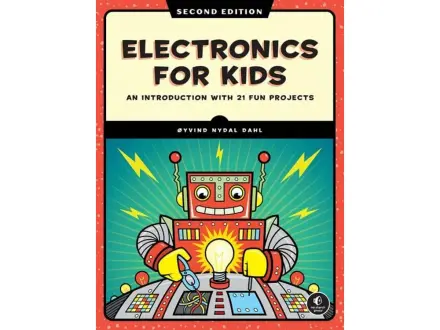
The larger Snap Circuits sets (Classic SC-300 and Pro SC-500) add hundreds of projects, including radios, alarms and sensors. Pair them with a good book like Electronics for Kids to explain why each circuit works.
Step 3: Soldering (ages 12+)
Goal: build permanent circuits with real components.
Soldering is a rite of passage. A beginner kit like the Elenco Practical Soldering Project Kit teaches the technique on a practice board before building a working project. Always use eye protection, ventilation and adult supervision for the first sessions.
Step 4: Microcontrollers (ages 12+)
Goal: make circuits that think, using code to read sensors and control lights, motors and displays.
This is where electronics meets programming. Arduino boards are the standard starting point:
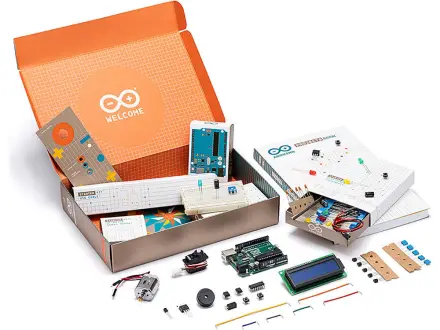
- The official Arduino Starter Kit includes a printed project book that walks through 15 projects with clear explanations.
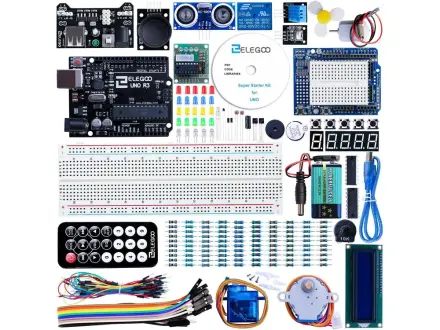
- ELEGOO UNO R3 kits offer a huge number of components for the price, which is great for tinkerers who like to experiment.
From here, the next step is Raspberry Pi: a full computer for projects that need cameras, networking or Python.
Safety notes
- Snap-together kits are designed to be safe for their age range, but always follow the manual’s warnings, especially about batteries.
- Never connect hobby kits to wall outlets.
- Soldering irons get very hot. Use a stand, eye protection and supervision.
Browse all Electronics picks.